How to Complete Your BetOnGame Registration
Available Registration Methods
BetOnGame supports four ways to create an account. Each method asks for different data and varies in completion time.
- Phone number
- Email address
- One-click registration
- Social media account
Step-by-Step Website Registration
Open the BetOnGame website and complete the sign-up form in four steps. The process works identically across all supported browsers.
Go to the official BetOnGame website and click Register on the homepage. The sign-up form appears on the same page.
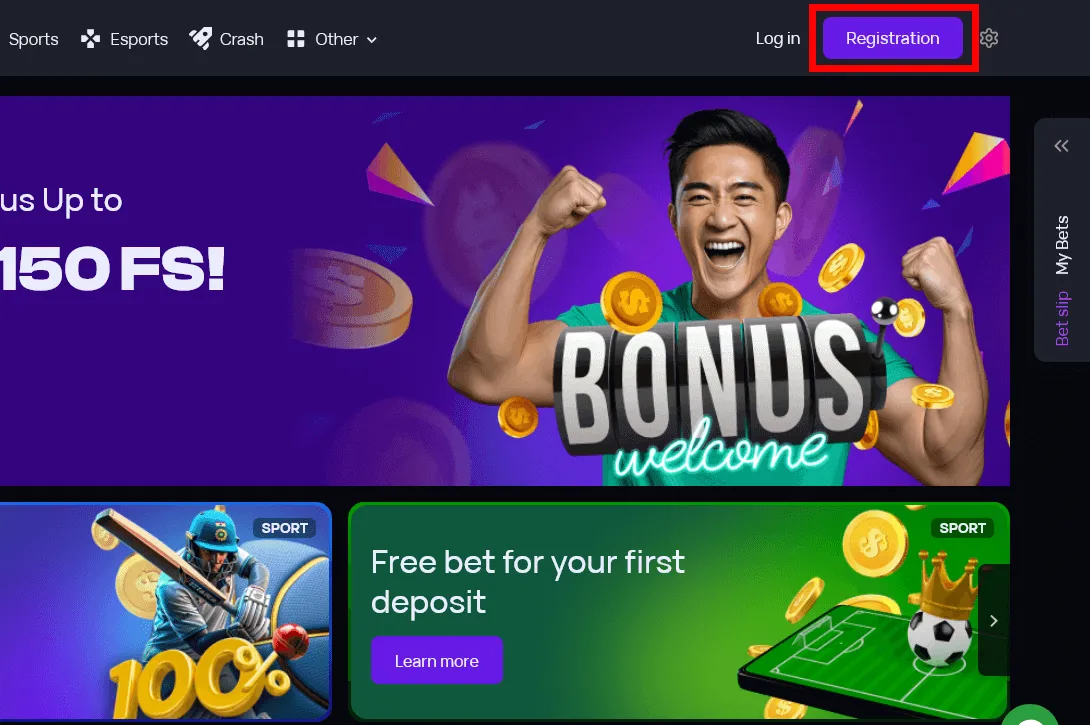
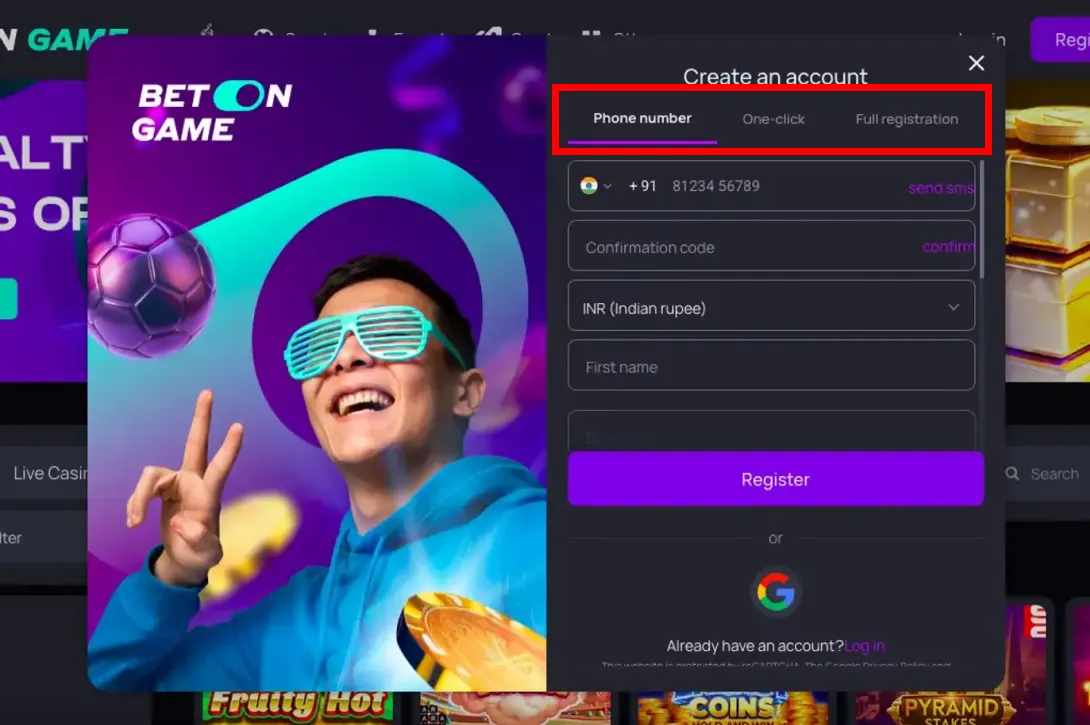
Pick one of four options. One-click requires the least input. Phone, email, and social media methods ask for additional details.
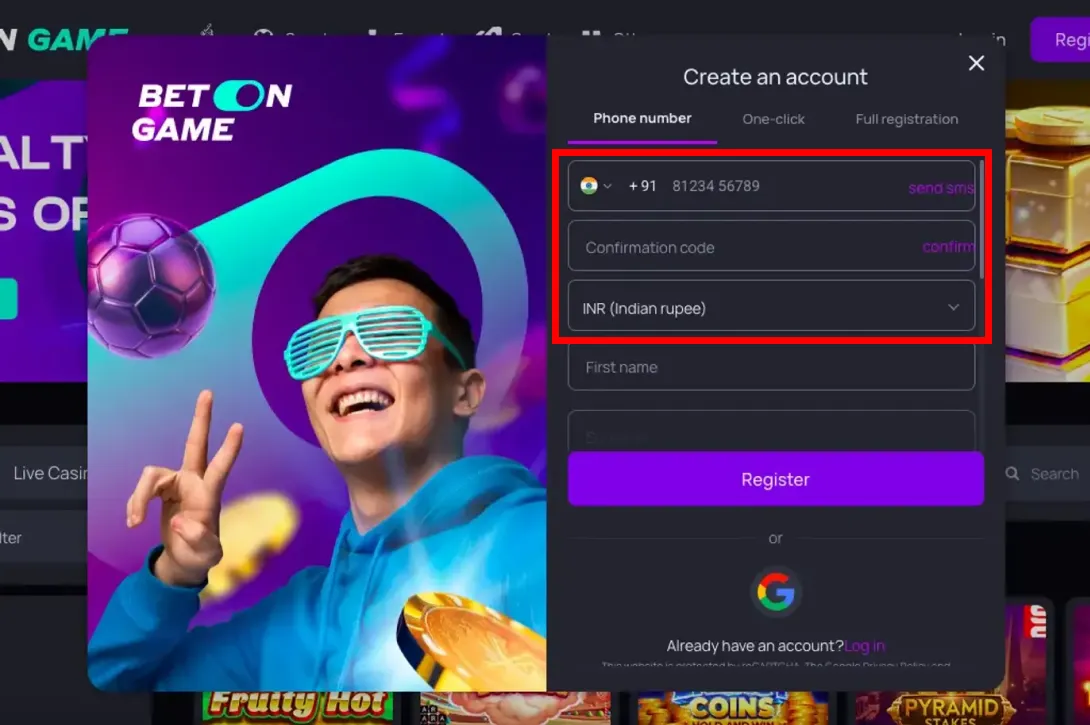
Enter your phone number, email, or grant social media permissions depending on the method you selected. Set your country and preferred currency before submitting.
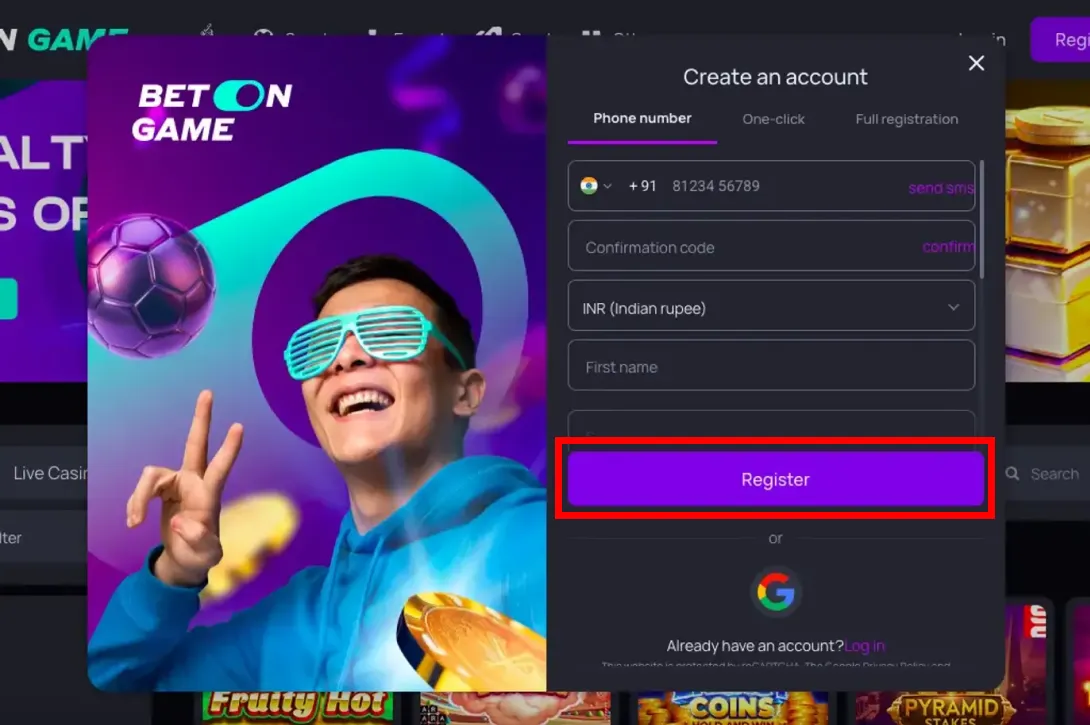
Submit the form. Phone and email methods send a verification code or confirmation link. Enter the code or follow the link to activate the account.
Tips for Error-Free Registration
These steps help prevent common account problems after sign-up.
- Enter your legal name and date of birth exactly as they appear on your ID. Mismatches block KYC verification later.
- Create a password with at least 8 characters, mixing uppercase, lowercase, digits, and symbols.
- Read the terms and conditions before accepting. Pay attention to wagering rules and withdrawal policies.
- Store your login credentials in a password manager. Do not share them with anyone.
BetOnGame App Registration Process
Registration through the BetOnGame mobile app mirrors the website flow. On a mobile device, the process takes under two minutes.
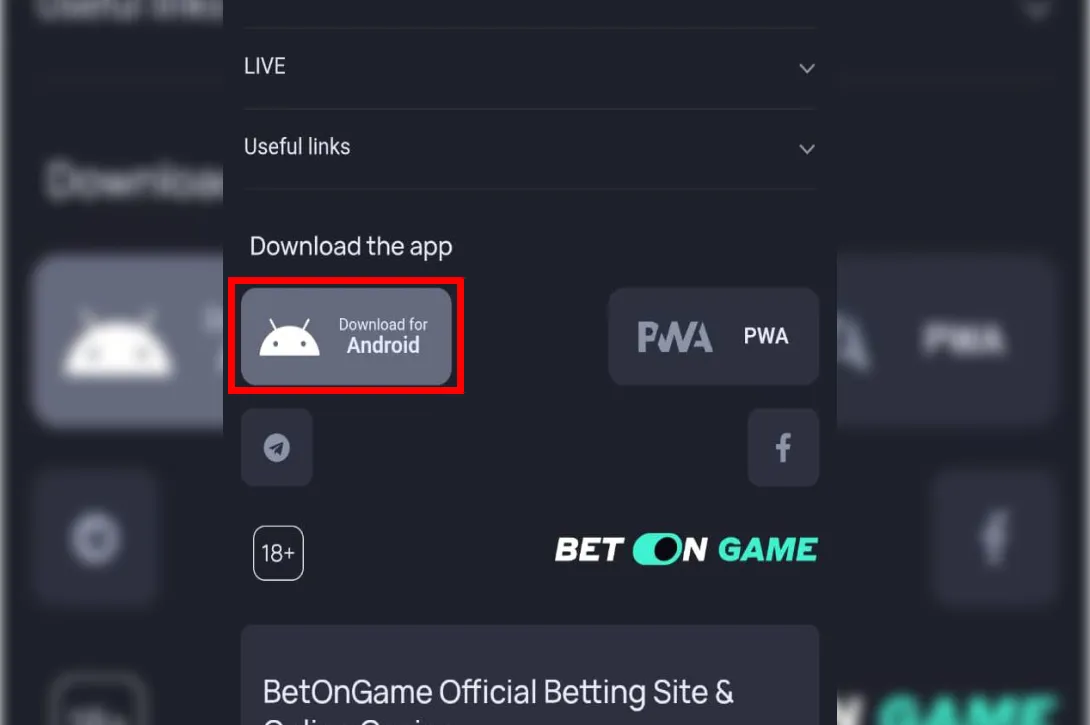
Go to the official BetOnGame website from your phone and tap the download button. Android users install an APK file directly from the site. iOS users follow the on-screen instructions for their device.
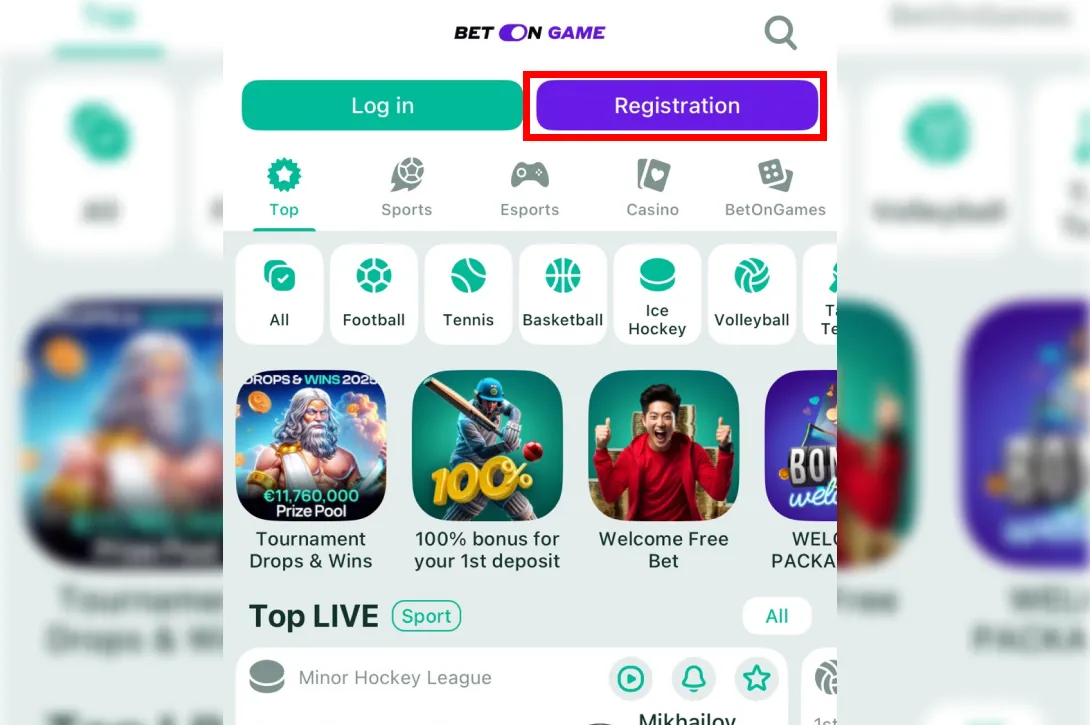
Open the app and tap Register. The form loads on the next screen.
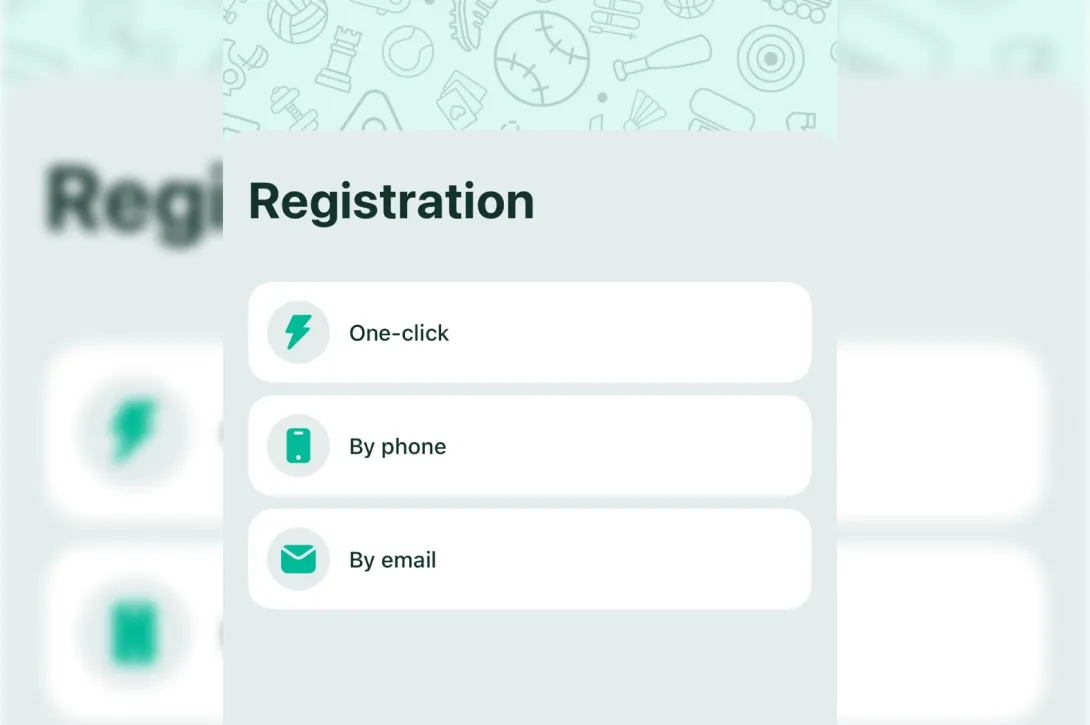
Select a sign-up method. Enter your currency, password, and promo code if you have one.
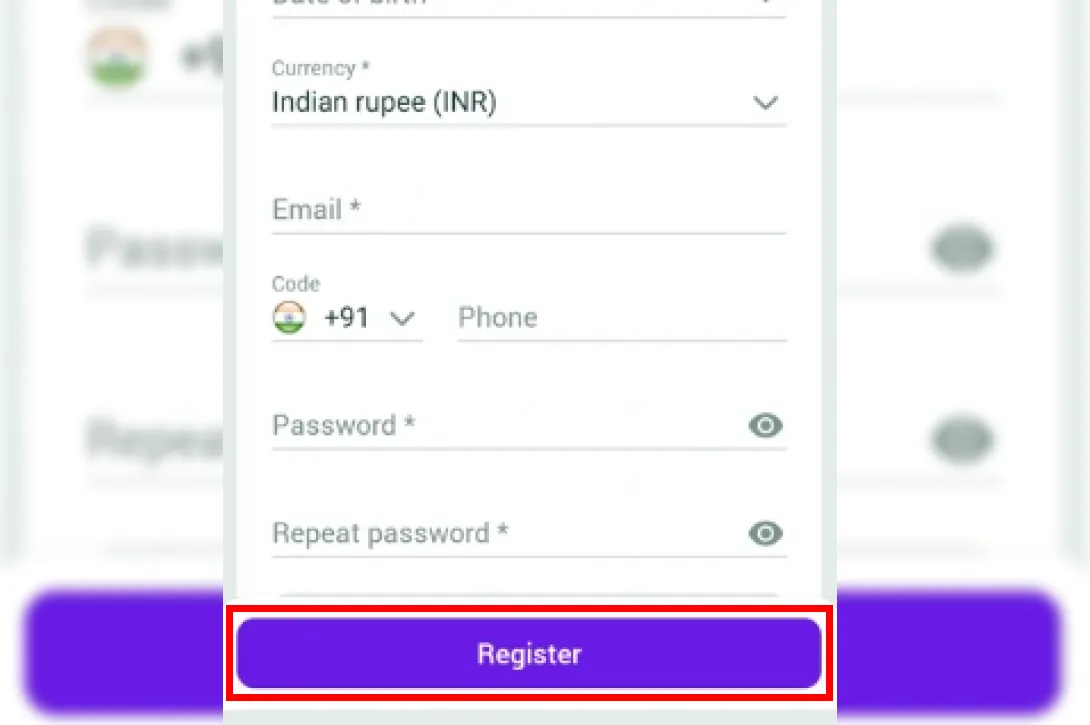
Submit the form. After confirmation, the app grants access to all betting and deposit features.
BetOnGame Account Verification (KYC)
Why Verification Matters
KYC confirms that each account belongs to a real person who meets the legal age requirement. Without verification, the platform cannot process payouts or protect accounts from unauthorized access. Verified accounts also get higher withdrawal limits and faster transaction processing.
Required Documents for KYC
You need two types of documents to pass verification. All uploads must be legible, uncut, and show all four corners of the document.
| Столбец 2 | |
|---|---|
| Identity document | A government-issued ID with a photo. Accepted formats include a national ID card, passport, or driver's license. |
| Proof of address | A utility bill or bank statement issued within the last three months. The name and address on the document must match the data in your BetOnGame profile. |
How to Verify Your Account
Log into BetOnGame and open the "Profile" or "Account Settings" section. Find the "Verification" or "KYC Document Upload" tab. Upload your ID and proof of address following the format and file size requirements on screen. The review typically takes up to 24 hours. You receive a notification once the check is complete.
Logging In to Your BetOnGame Account
Login takes under a minute on both the website and the app.
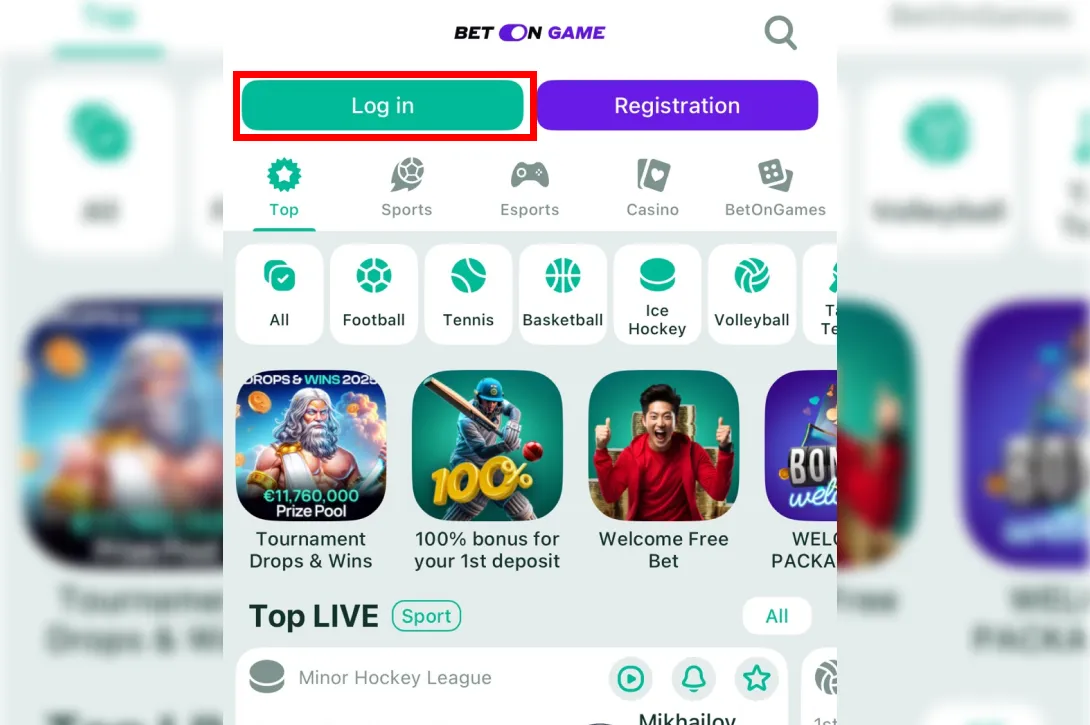
Go to the BetOnGame website or launch the app. The Log In button sits in the top right corner.
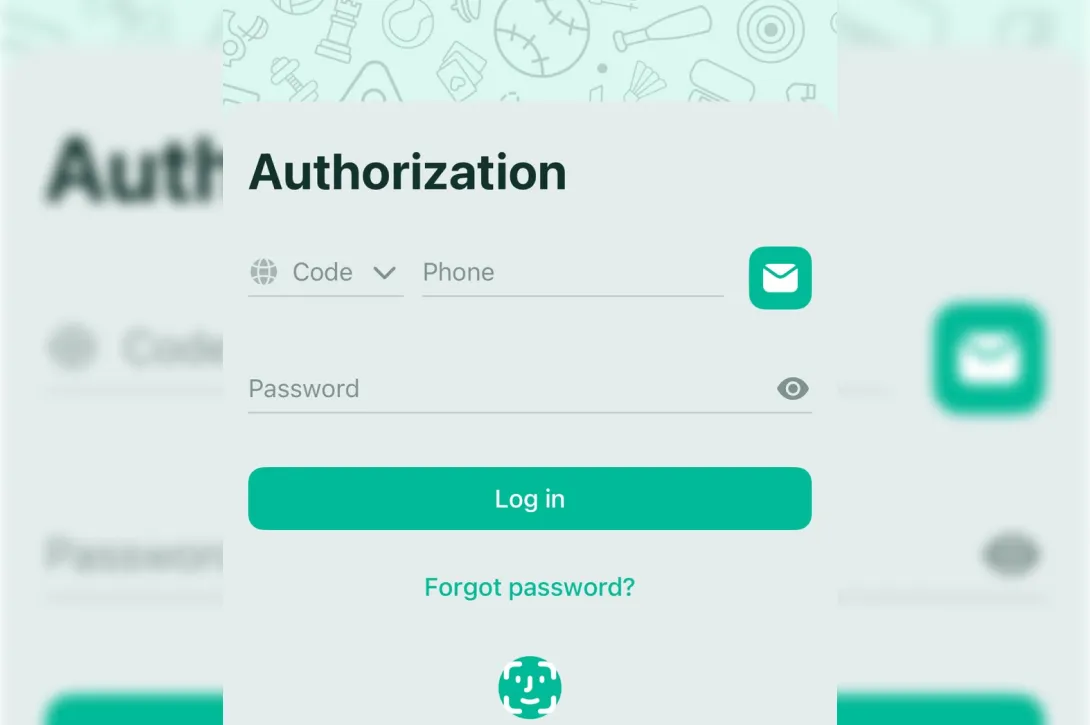
Type your registered email, phone number, or username, then your password. All fields are case-sensitive.
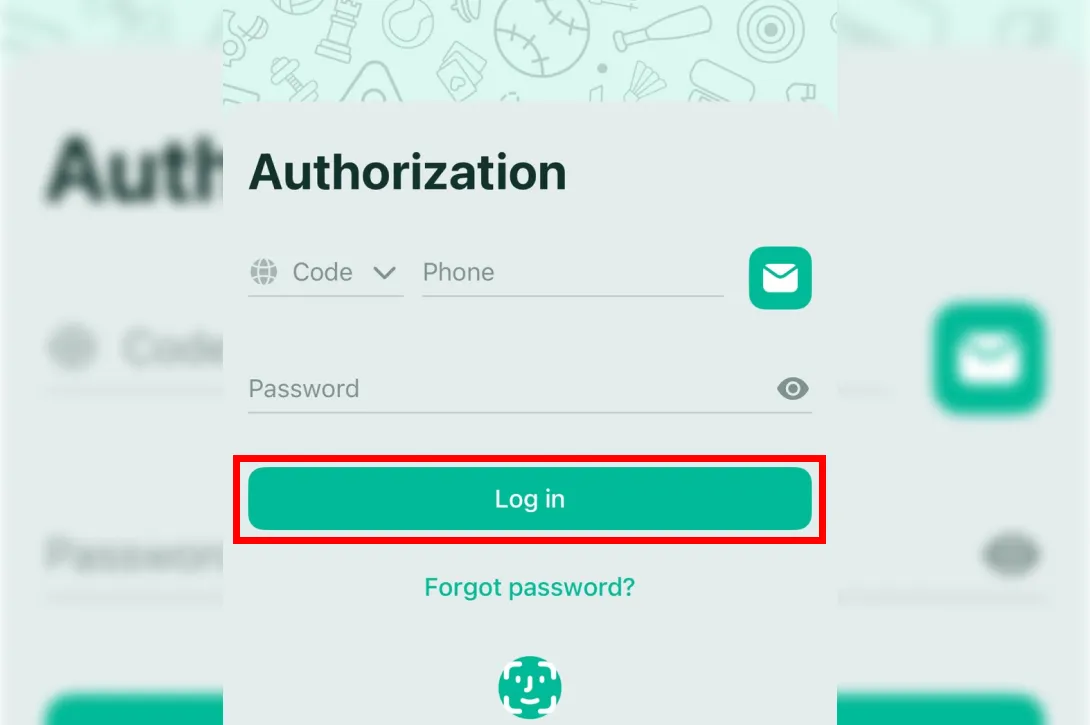
Press Log In. If two-factor authentication is active, enter the code from your authenticator app or SMS.
BetOnGame Welcome Bonuses for New Users
First Deposit Bonus Details
Your first deposit triggers a 130% bonus, credited to your balance automatically. It applies once per account and cannot be combined with other active promotions.
Using a BetOnGame Promo Code
Enter the promo code BetOnGame in the designated field during registration. The code must be applied before you submit the sign-up form. Codes entered after account creation are not accepted.
Bonus Terms and Conditions
Bonus funds are locked until you complete the wagering requirement. Each accumulator must contain at least 3 selections, and every selection must meet the minimum odds stated in the bonus terms. Withdrawals remain blocked until the full 5x turnover is reached.
| Condition | Details |
|---|---|
| Bonus Percentage | 130% |
| Wagering Requirement | 5x on accumulator bets |
| Minimum Selections per Accumulator | 3 |
What You Get After Registering with BetOnGame
Registration gives access to every platform feature listed below.
| Колонка 1 | Столбец 2 |
|---|---|
| Local Payment Options | BetOnGame supports regional payment methods for deposits and withdrawals. Transactions go through quickly, and fees stay minimal across most methods. |
| Betting and Gaming Selection | The platform covers pre-match and live sports markets, table games, slots, and live dealer tables. Hundreds of events and games are available daily. |
| Interface and Navigation | Account management, bet placement, and balance checks all take a few taps or clicks. The layout groups functions by category, so finding the right section does not require scrolling through unrelated menus. |
| Bonuses and Promotions | New users get a first deposit bonus. Active players receive recurring promotions. All terms are listed on the bonuses page with no hidden conditions. |
| Customer Support | Support operates through live chat, email, and phone around the clock. The team handles account, payment, and technical questions. |
| Affiliate and Agent Program | BetOnGame runs an affiliate and agent program for users who want to earn commissions by referring new players. Commission rates and program terms are published on the program page. |
| Security and Data Protection | BetOnGame uses encryption protocols to protect personal data and financial transactions. Player information is not shared with third parties. |
BetOnGame Registration Requirements and Rules
You must meet specific eligibility criteria before creating an account. BetOnGame enforces these rules to comply with its gambling license.
| Столбец 1 | Столбец 2 |
|---|---|
| Age and Eligibility Criteria | Only users aged 18 or older can register. You must also reside in a jurisdiction where online betting is legal. The platform verifies age and location during KYC. |
| Account Information Accuracy | Every field in the registration form must contain your real, verifiable data. This includes your full legal name, date of birth, residential address, and contact details. Incorrect or mismatched information leads to account suspension or blocked withdrawals. |
| Adherence to Platform Policies | All users accept the Terms and Conditions at registration. These cover fair play rules, bonus terms, privacy policy, and responsible gambling guidelines. BetOnGame provides deposit limits, loss limits, session timers, and self-exclusion options inside the account settings. |
Responsible Gambling and Support at BetOnGame
BetOnGame provides built-in tools that let players control their spending and session time. You can set daily, weekly, or monthly deposit limits in your account settings. Loss limits define the maximum acceptable loss over a chosen period. A session timer sends reminders to take breaks after a set number of minutes. For longer pauses, self-exclusion blocks your account temporarily or permanently. All these tools are available in the personal profile section. If you need additional help, the support team can connect you with external organizations that specialize in gambling-related issues. Always bet only what you can afford to lose.
Frequently Asked Questions
| Колонка 1 | Столбец 2 |
|---|---|
| How do I recover my password or username for my BetOnGame account? | Click "Forgot Password" on the login page. The system sends a reset link to your registered email or a code to your phone. If you forgot your username, contact customer support with the details you used during registration. |
| Can I access my BetOnGame account from outside my registration country? | Access depends on local regulations. Some features may not work in certain countries. Check the terms of service for country-specific restrictions before traveling. |
| Where can I review my betting and transaction history? | Open "Personal Profile" or "My Account" and go to the "Transaction History" or "Bet History" tab. Both sections show dates, amounts, and statuses for every operation. |
| What is the process for deleting my BetOnGame account? | Go to settings and find "Account Closure" or "Self-Exclusion." Follow the on-screen prompts or contact support for permanent deletion. Account closure is usually irreversible. |
| Can I change my personal information after registering my BetOnGame account? | Non-sensitive details like your address can be updated directly in your profile. For changes to your name, date of birth, or other sensitive fields, contact customer support and provide verification documents. |